New Generation
Xplor Guide
- Rockingham
- Waikiki
- Port Kennedy
- Baldivis


“If education is to be based on what we know of little children, we must first understand their development.”
Maria MontessoriStart
Xplor Home Guide
Step 1.
Guide
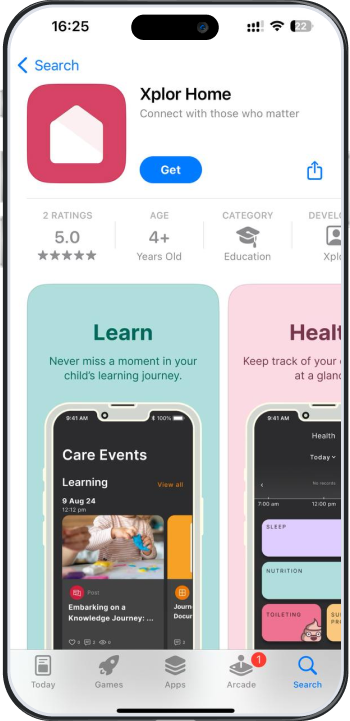
Download the Xplor Home App.


Step 2.
As a new parent who has not created an account before, select ‘Create Account.
Step 3.
You must sign the Complying Written Arrangement (CWA) through your Xplor Home App. The CWA should appear for you to carefully review.
Account → Finance → View CWA Agreement → Click ‘I Agree’
Step 4. Final
Confirm your child’s enrolment details for Child Care Subsidy with Centrelink.
ConfirmSetting
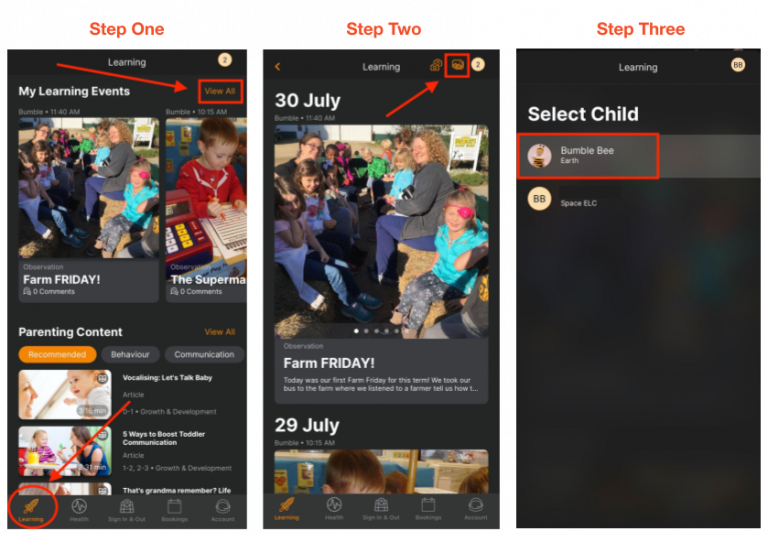
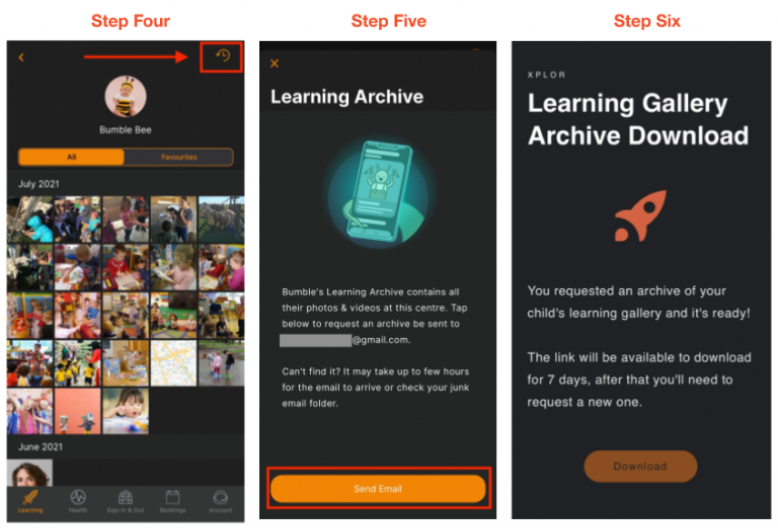
Child’s Photo Bulk Download on Home App
If you want to receive an email with all the media your child has been tagged in, do next steps:

- Open Xplor Home and go to Learning → Click 'View All'
- Click the Image Icon and then Select your Child
- Click the Clock Icon
- Click the 'Send Email' button